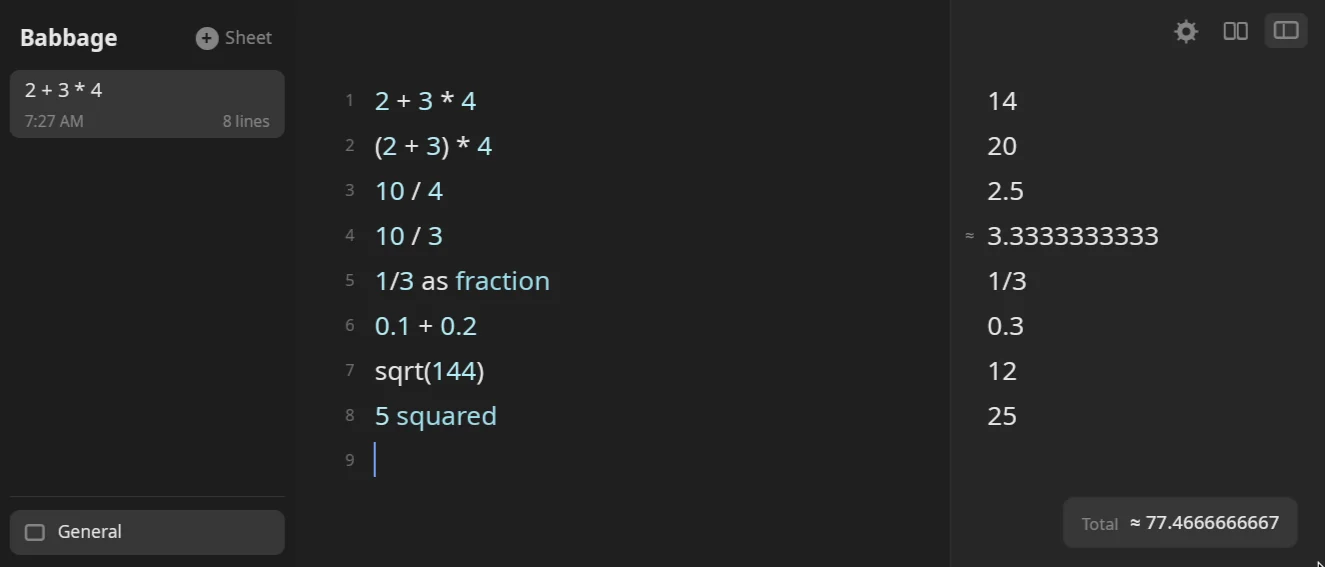
Type a sum and the answer appears beside it. Babbage does its arithmetic in exact fractions, so 0.1 + 0.2 is exactly 0.3, and when an answer has to be rounded to fit it tells you. This chapter covers the operators, powers and roots, the ways you can write a number, and every way to ask for a percentage.
Arithmetic
Write the sum the way you would on paper. Spaces are optional.
| You type | Meaning | Example | Answer |
|---|---|---|---|
+ - |
add, subtract | 1,000 + 250 |
1,250 |
* x × · |
multiply | 10 x 5 |
50 |
/ ÷ |
divide | 10 / 4 |
2.5 |
^ ** |
power | 2 ^ 10 |
1,024 |
mod % |
remainder | 7 mod 3 |
1 |
( ) |
group | (2 + 3) * 4 |
20 |
Multiplication and division bind tighter than addition, and powers bind tighter than both: 2 + 3 * 4 is 14 and 1 + 2 * 3 ^ 2 is 19. Powers group from the right (2^3^2 is 512), and a minus in front of a power applies after it (-3 ^ 2 is -9; write (-3) ^ 2 for 9). Two operators in a row are fine: 5 - -3 is 8.
Always write the multiplication sign. 2(3 + 4) is not a product; write 2 * (3 + 4).
Words instead of symbols
The common operations also work as words.
| You type | Answer |
|---|---|
12 plus 3 |
15 |
12 minus 3 |
9 |
12 times 3 |
36 |
12 divided by 4 |
3 |
12 over 4 |
3 |
2 to the power of 3 |
8 |
10 mod 3 |
1 |
Any other word in a line is skipped, so 5 + 3 apples is 8. See The basics for how skipped words are shown.
A percent sign touching a number is a percentage (10%). A % with spaces around it and a number after it is the remainder, so 10 % 3 is 1 and 15 % 4 is 3. After of, a spaced % is a percentage again: 15 % of 200 is 30.
Comparisons and bit operations
==, !=, <, >, <= and >= give true or false: 3 < 4 is true, and 1/3 * 3 == 1 is true. Join two tests with and or or.
On whole numbers, &, |, xor, << and >> work on the bits: 6 & 3 is 2, 6 | 3 is 7, 6 xor 3 is 5, 1 << 4 is 16 and 256 >> 2 is 64. The words and and or do the same job as & and | between numbers, so 12 and 3 is 0. Bit operations need whole numbers of zero or more.
Powers and roots
^ takes a whole-number exponent, negative ones included: 2 ^ -2 is 0.25. A fraction as the exponent is a root, so x ^ 0.5 is the square root of x:
| You type | Answer |
|---|---|
4 ^ 0.5 |
2 |
8 ^ (1/3) |
2 |
100 ^ 1.5 |
1,000 |
2 ^ 0.5 |
1.4142135624 (marked ≈) |
The answer is exact when the root is exact, and carries the ≈ mark when it is not. A negative base with a fractional exponent is an error, and so is a quantity such as 4 m raised to one.
For squares and cubes you can also write the word after the number:
| You type | Answer |
|---|---|
5 squared |
25 |
2 cubed |
8 |
3 squared + 4 squared |
25 |
sqrt and cbrt are other ways to write roots:
| You type | Answer |
|---|---|
sqrt(144) |
12 |
sqrt 16 |
4 |
square root of 16 |
4 |
sqrt(1/4) |
0.5 |
cbrt(27) |
3 |
0 ^ 0 is an error, and so is 1/0. Other functions are in Functions and finance.
Factorial
Put ! after a number or a bracket, or say factorial: 5! is 120, 5 factorial is 120 and (2 + 3)! is 120. The number must be a whole number of zero or more.
Exact or approximate
Babbage keeps every answer as an exact fraction until it has to show it. Most answers are exact and show no mark:
0.1 + 0.2is0.3.1/3 * 3is1.sqrt(2) * sqrt(2)is2.
An answer shows at most ten decimal places by default. When that means cutting digits off, as in 10 / 3 (3.3333333333) or 1/7 (0.1428571429), the answer carries a small ≈ in front of it. Roots, logarithms, pi and trigonometry are irrational, so they get the ≈ too, even though Babbage works them out to far more digits than it shows. If a result is exactly a whole number or a clean fraction, there is no mark.
The mark tells you the shown digits are a rounding, not that the sum went wrong. To keep the full value, ask for a fraction.
As a fraction
End a line with as fraction to see the exact reduced fraction:
| You type | Answer |
|---|---|
1/3 as fraction |
1/3 |
0.75 as fraction |
3/4 |
10/4 as fraction |
5/2 |
100 / 7 as fraction |
100/7 |
0.333333 as fraction |
333,333/1,000,000 |
-0.5 as fraction |
-1/2 |
A whole number stays whole (17 as fraction is 17). Fractions of money are refused.
Fewer decimal places
The default of ten places can be changed. Settings → Numbers has a Decimal places stepper from 0 to 10, and the ⋯ menu on any answer sets the places for that line alone. See Answers and formats for both. You can also round inside the line: 3.14159 to 2 dp is 3.14, and 1/3 to 4 dp is 0.3333. Those give a new rounded value, not just a shorter display.
Writing numbers
Separators
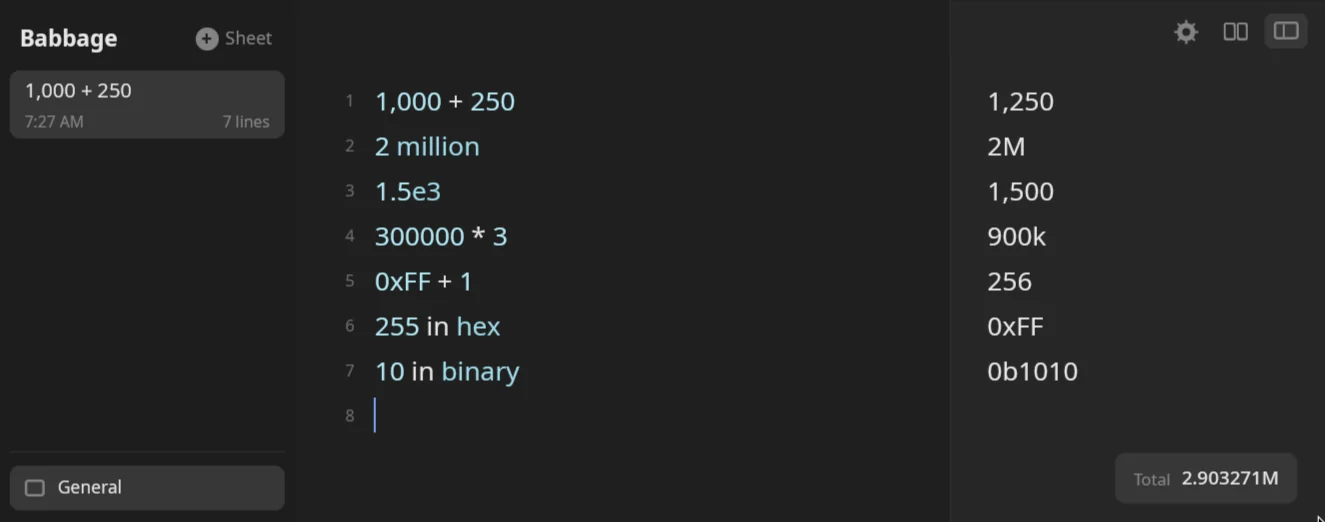
Group digits with commas, as you would write them: 1,000 + 250 is 1,250. The commas must be right. 1,024 is a number; 1234,567 and 1,2 are errors, and Babbage never quietly merges them. Because 1,234 is one number, write max(1, 234) with a space when you mean two arguments.
You can also use underscores, which work in any base: 1_000_000 * 2 and 0xCAFE_F00D.
Numbers may start with the point (.5 is 0.5) but may not end with it (5. is an error). Leading zeros are dropped, so 007 is 7 and 1.50 is 1.5.
Settings → Numbers has a Number format. Pick 1,234.56 (North America), 1.234,56 (Western Europe) or 1 234,56 (Eastern Europe), or leave it on System. A mark that is not the format's own is an error, not a guess. In every format ; also separates function arguments.
Scientific notation
Write a power of ten with e: 1e3 is 1,000, 1.5e3 is 1,500, 2.5e-3 is 0.0025 and 12e2 + 1 is 1,201.
Very small answers are shown this way. A value from one millionth up is plain (0.000001), and anything smaller is scientific: 0.0000001 shows as 1e-7.
Words and letters
Say "thousand", "million", "billion" or "trillion" after a number, or use a letter.
| You type | Answer |
|---|---|
5 thousand |
5,000 |
2 million |
2M |
3.5 million * 2 |
7M |
1.5 billion |
1.5G |
5 trillion |
5T |
2k |
2,000 |
4.5k |
4,500 |
2M |
2M |
A number needs its digits: two million and a million are plain text. Words such as hundred and dozen are skipped, so 5 hundred is 5.
Short forms in answers
Big answers are shortened with k, M, G and T. From 100,000 up, 300000 * 3 reads 900k, 1000000 reads 1M and 123456789 * 1000 reads 123.456789G. Below that you get commas: 10000 is 10,000. Turn this off with Use notation for large numbers in Settings → Numbers, or per line from the ⋯ menu, and turn the commas off with Thousands separators in answers.
Hex, binary and octal
Write a number in another base with a prefix: 0x for hex, 0b for binary, 0o for octal. A number written this way keeps its base in the answer:
| You type | Answer |
|---|---|
0xFF |
0xFF |
0b1010 |
0b1010 |
0o17 |
0o17 |
0xFF + 1 |
256 |
0xFF + 0xFF in hex |
0x1FE |
Arithmetic gives a decimal answer. To show any answer in another base, end the line with in or as and the base:
| You type | Answer |
|---|---|
255 in hex |
0xFF |
255 as hex |
0xFF |
10 in binary |
0b1010 |
0xFF as binary |
0b11111111 |
0b101 in octal |
0o5 |
0xFF in decimal |
255 |
255 as base 8 |
0o377 |
255 in base 16 |
0xFF |
10 as base 36 |
A₃₆ |
as base N takes any base from 2 to 36. Hex digits are capitals. A bit operation on two numbers of the same base keeps that base: 0xA0 | 0x0F is 0xAF, and 0b1100 & 0b1010 is 0b1000.
Percentages
A percentage is a number with its own kind. 10% is exactly one tenth, and Babbage keeps it that way, so none of the answers below drift. The sign can touch the number (15% of 80), stand apart from it (15 % of 200) or be spelled out (15 percent of 80).
A percent of a number
of (or x, or *) takes a share:
| You type | Answer |
|---|---|
20% of 150 |
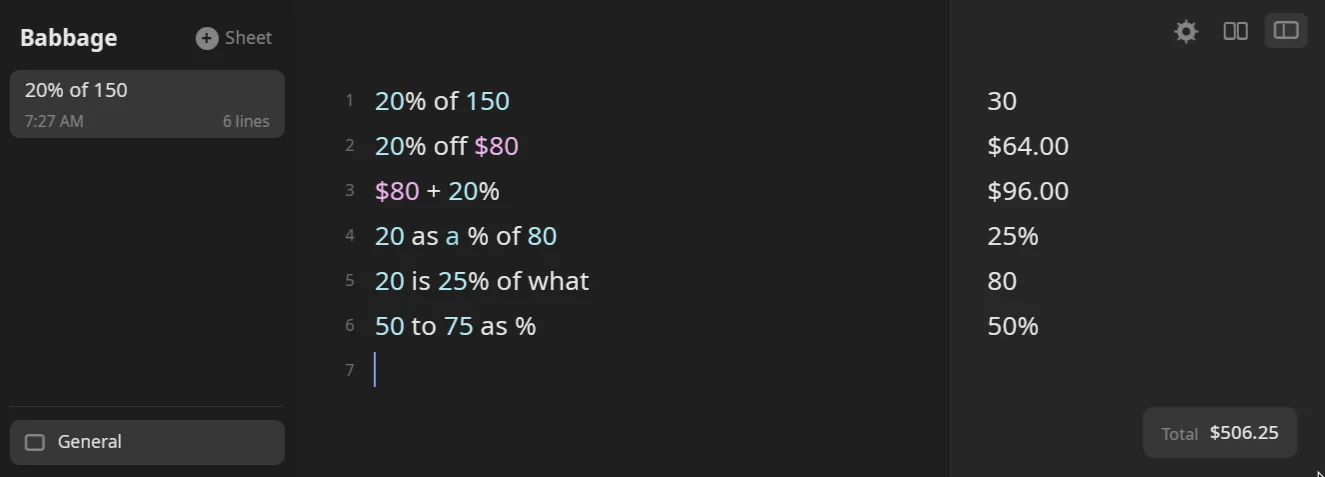
30 |
20% x 150 |
30 |
200 * 10% |
20 |
15% of $200 |
$30.00 |
5.5% of 1000 |
55 |
150% of 40 |
60 |
1% of 1 million |
10,000 |
15 percent of 80 |
12 |
15 % of 200 |
30 |
A fraction or a decimal works wherever a percentage does: 1/2 of 40 is 20, 0.25 of 80 is 20, and half of 80 is 40.
A question can come around it. what is 20% of 150 is 30, and a trailing is is skipped: 20% of 150 is is 30.
Add or take off a percent
Put the percentage after a plus or minus and it applies to the number on its left:
| You type | Answer |
|---|---|
50 + 10% |
55 |
50 - 10% |
45 |
$80 + 20% |
$96.00 |
$80 - 20% |
$64.00 |
100 + 10% + 10% |
121 |
$50 plus 8% |
$54.00 |
$50 minus 10% |
$45.00 |
1000 * (1 + 5%) |
1,050 |
1000 * 105% |
1,050 |
Off and on
off takes a percent from a number and on adds it. Write the percentage first:
| You type | Answer |
|---|---|
20% off $80 |
$64.00 |
25% off $120 |
$90.00 |
20% off 80 |
64 |
20% on $80 |
$96.00 |
20% on 80 |
96 |
30% discount on $200 |
$140.00 |
What percent is it
To turn two numbers into a percentage use as a % of, as % of or is what % of:
| You type | Answer |
|---|---|
20 as a % of 80 |
25% |
20 as % of 80 |
25% |
20 is what % of 80 |
25% |
20 is what percent of 80 |
25% |
5 / 20 as % |
25% |
20 / 80 % |
25% |
1 in 20 as % |
5% |
0.5 as % |
50% |
1/8 as % |
12.5% |
The same shapes work with on and off, for how much was added or taken: 20 is what % on 16 is 25% and 12 is what % off 15 is 20%.
Percent change
Use to for a change from one value to another:
| You type | Answer |
|---|---|
50 to 75 as % |
50% |
50 to 75 is what % |
50% |
75 to 50 as % |
-33.3333333333% |
A fall shows as a negative percentage.
Work backwards
Give the part and the percentage and ask for the whole:
| You type | Answer |
|---|---|
20 is 25% of what |
80 |
50 is 20% of what |
250 |
20 is 25% on what |
16 |
20 is 25% off what |
26.6666666667 |
25% of what is 20 |
80 |
Read 20 is 25% on what as: 20 is what you get after adding 25% to something, and the something is 16. off works the other way round. 25% of what is 20 asks the same question as 20 is 25% of what, and on and off work in both orders.
Percentages with each other
You can combine percentages without turning them into plain numbers:
| You type | Answer |
|---|---|
10% + 5% |
15% |
10% x 10% |
1% |
10% of 50% |
5% |
50% / 2 |
25% |
20 / 50% |
40 |
10%^2 |
0.01 |
A percentage times a percentage is a percentage. A number divided by a percentage is a plain number. A percentage divided by a percentage is refused.
Percentages work on money and on quantities too: $45 + 18% is $53.10 and 10 kg + 10% keeps its unit. A name can hold a rate: tip = 18%, then bill + tip adds it. See Variables and totals, and Money for tips, tax and discounts.