Help for Omarchy File Dialogs
Ofolder
Favorites, recent folders, new folder, find and a picture preview, docked beside the dialogs you already use.
Ofolder adds two slim rails of icons beside the Open and Save dialogs on Omarchy, with a preview under the dialog for pictures and video. It reads and drives Flea, the GTK portal dialog and Strata from the outside, so none of them is changed, and it says plainly what it could not do with one it doesn't know. If it is ever missing or broken, your dialogs fall back to the next backend rather than failing.
Installed in one line
The installer checks each download against its SHA-256, puts Ofolder
under ~/.local with no root, and then switches it on.
Read the script first if you like: --no-setup installs
without switching it on, and --uninstall removes it.
$ curl -fsSL https://github.com/jrimmer/ofolder/releases/latest/download/install.sh | bash

# if something looks wrong
$ ofolder doctor              # says what is wrong and how to fix it
$ ofolder pause               # every dialog passes through untouched
$ ofolder uninstall           # undo the whole setup, keep your settings
You need Omarchy (Hyprland on Wayland), a running
xdg-desktop-portal, one of Flea, the GTK portal or
Strata, and wtype and wl-clipboard. It is
built and tested on Arch with Hyprland 0.56.2; other setups are
untested.
Two rails and a preview
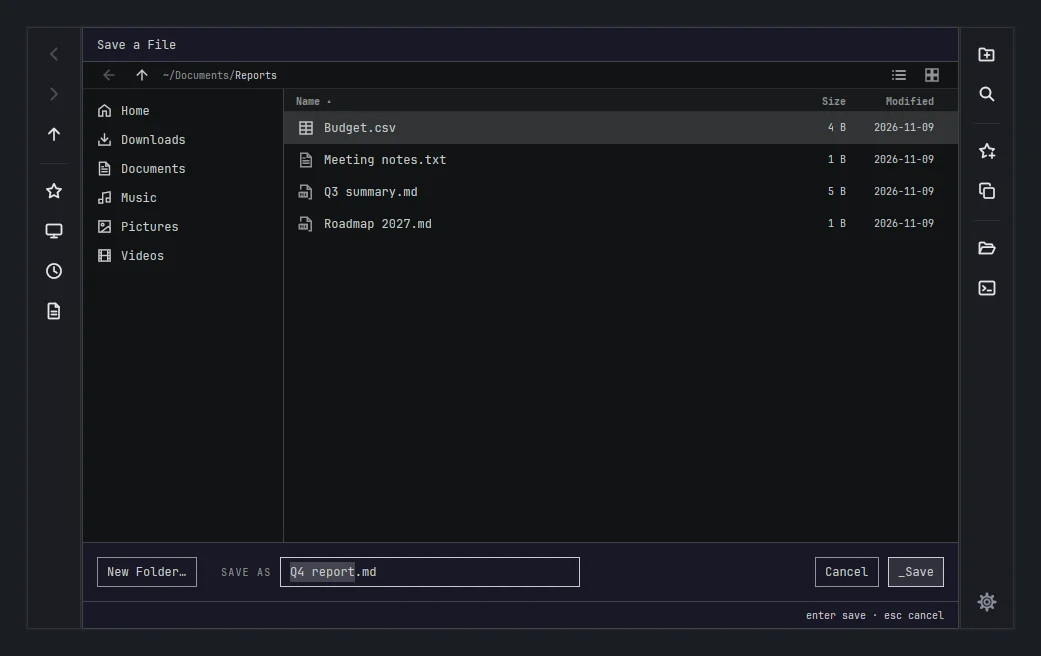
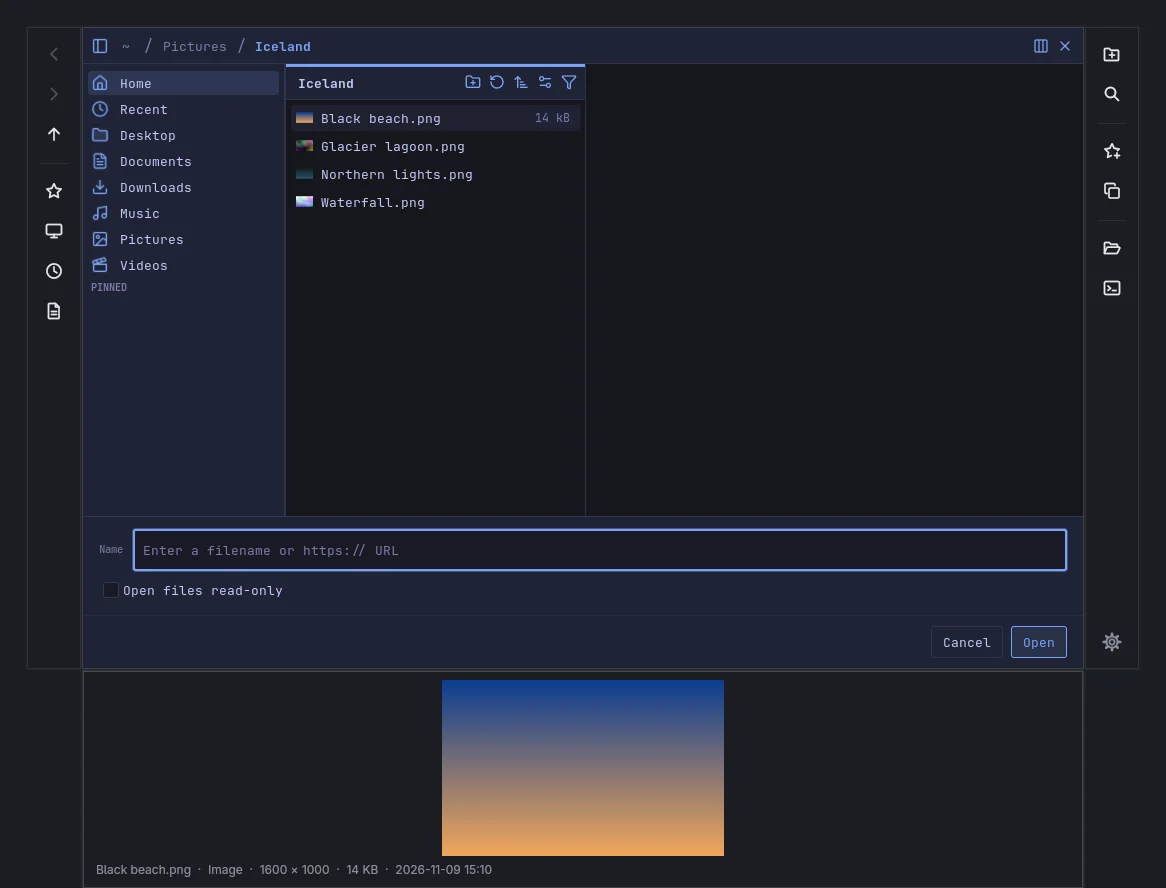
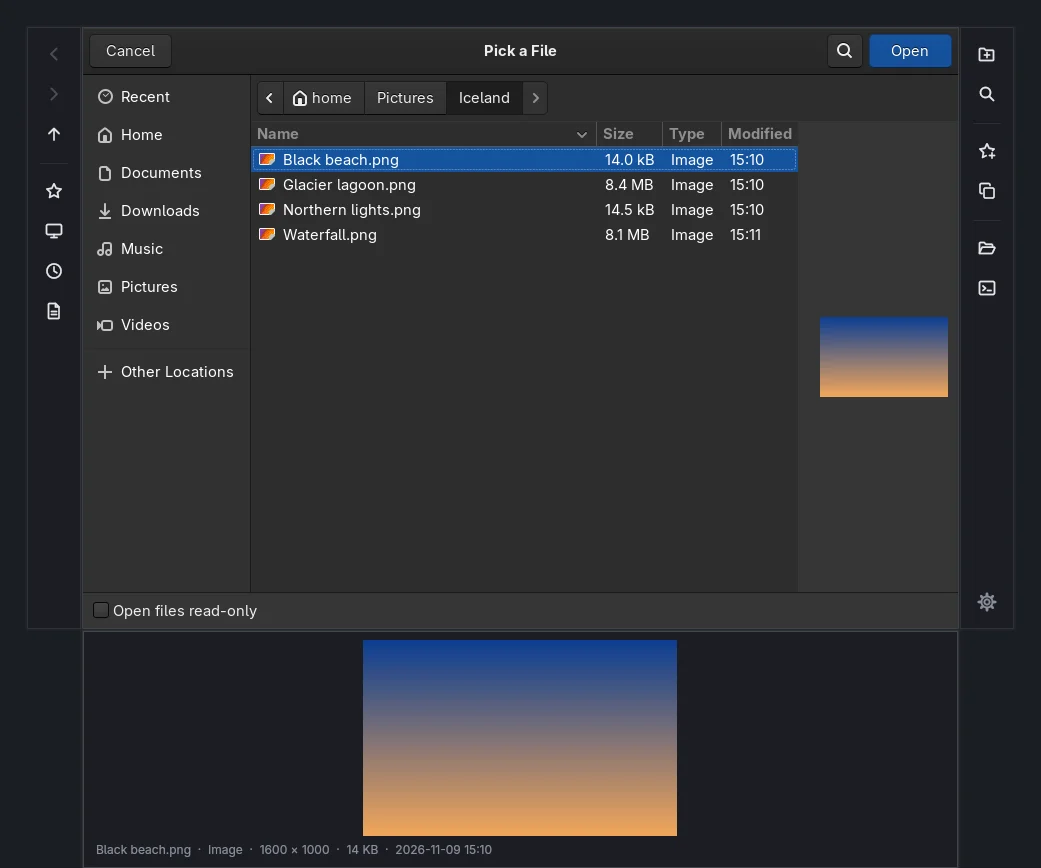
The left rail is for getting somewhere: back, forward and up, then your favorites, places and drives, recent folders and recent files. The right rail is for the folder you are in: make a new one, find one, add it to your favorites, copy its path, open it in your file manager or a terminal, and reach the settings. Select a picture or a video and a preview opens under the dialog.
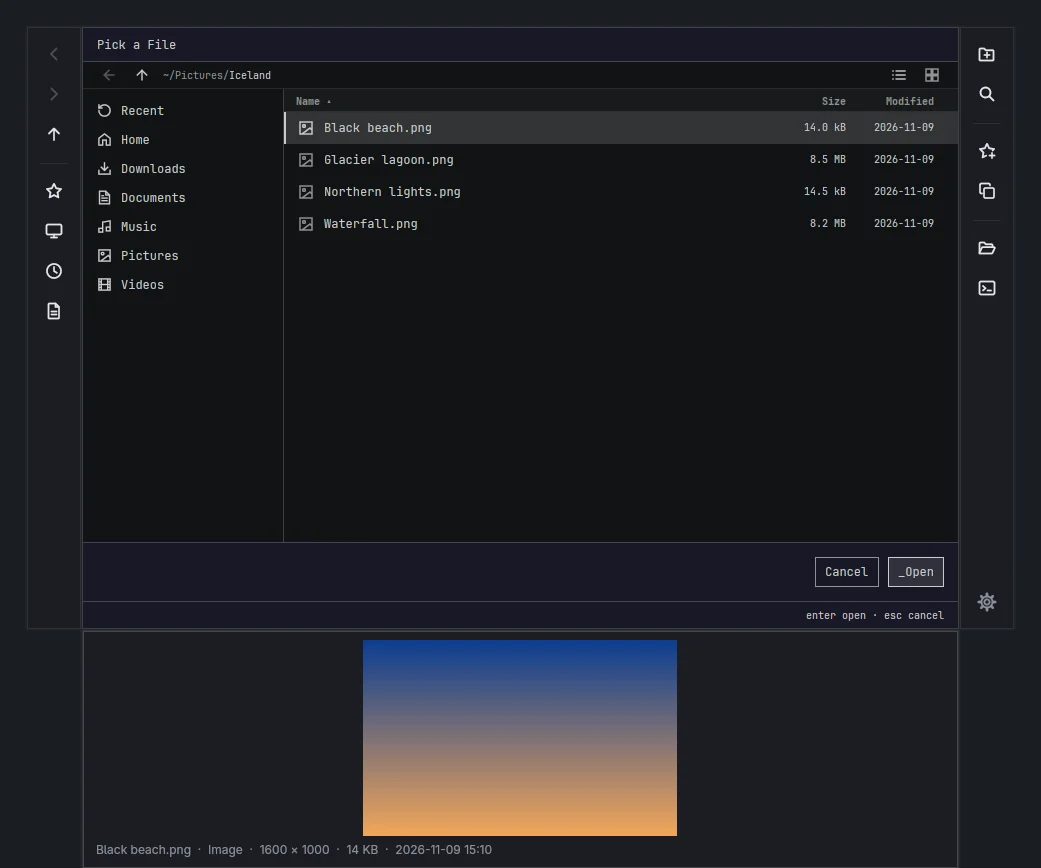
Every command has a shortcut you can set, the rails and their icons are yours to rearrange, and each piece can be turned off.
Go straight there
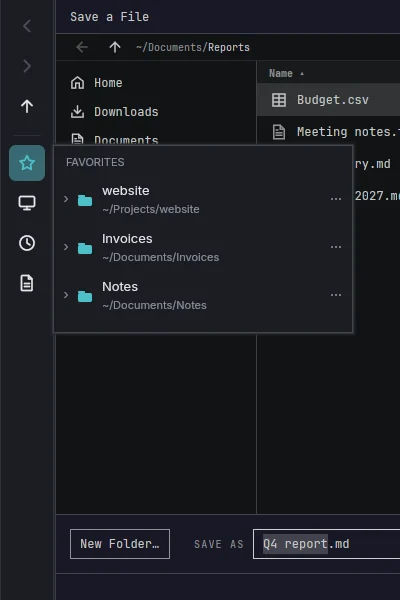
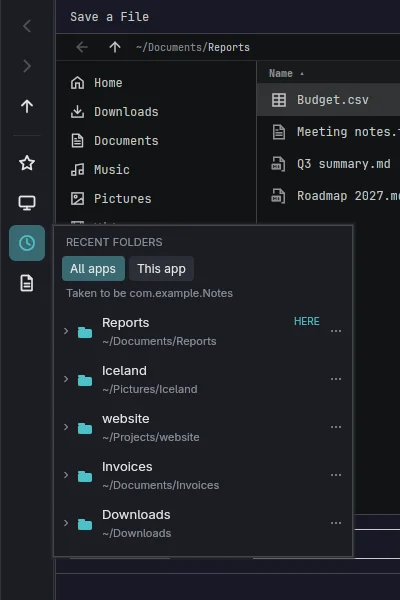
Favorites you can rename, reorder and remove. Recent folders from every app, or only the one asking. Find ranks the folders Ofolder already knows as you type, and can search below the folder you are in.
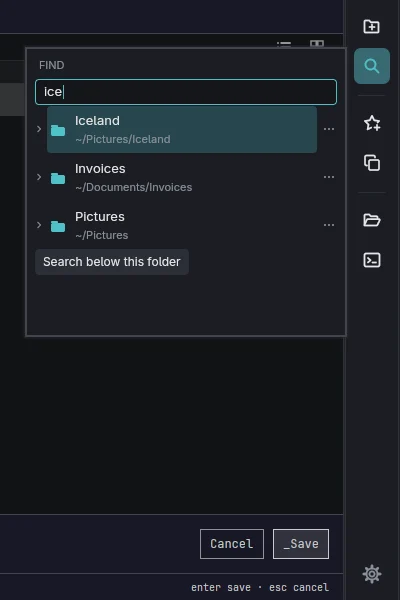
Beside the dialog you have
None of these dialogs has a plugin interface, so Ofolder gives each one its own adapter, which reads the folder and drives the dialog from outside, and refuses to act when it can't be sure which window it is talking to. It never guesses a folder.
-
Flea
Tested with 0.4.0 and 0.3.12.
-
Strata
Tested with 1.1.1.
-
GTK portal
Tested with
xdg-desktop-portal-gtk1.15. -
Another version
Said once in the settings, not blocked. If the rails misbehave after an update, please open an issue.
Strata
The GTK portal dialog
What switching it on changes
Ofolder changes how every Open and Save dialog on the machine is requested, so it is worth knowing exactly what happens. It registers itself as a file-chooser backend that forwards to the real one:
-
Two small files
A portal definition and a D-Bus service file, under
~/.local/share. -
One line of portal configuration
Puts
ofolderfirst in the file-chooser list and leaves every other backend after it. A backup of the file is kept. -
A small guard
Puts that line back if another program removes it, and keeps dialogs working if the Ofolder program is ever deleted. It can be turned off in settings.
-
Undo
ofolder pausepasses every dialog through untouched,ofolder repair --undorestores the configuration, andofolder uninstallundoes the whole setup and keeps your settings, favorites and recents.
Everything stays on your machine
Ofolder remembers the folders and files you confirm in dialogs, with
the application that asked, for 90 days, in files only you can read.
Folders that hold keys, passwords and browser profiles are never
recorded, and ofolder forget empties the lists. Nothing
is sent anywhere. Once a week it asks GitHub whether a newer release
exists, and installs one only when you choose; that can be switched
off in settings.
Read more
- README Install, what it changes, and how to undo it
- How each dialog is driven What was measured about Flea, GTK and Strata, and the hazards
- Releases What each release contains, and building it yourself
- Issues Reports and questions are welcome